There are plenty of different ways you can improve your marketing efforts and help boost sales. Personalized stickers for business are one of the most popular options that many companies are utilizing. You can either create custom stickers to help promote your business, or you can use them to grow profits. Either way, you’ll need to have a good design and a quality sticker printing company. By following these tips for creating personalized stickers for business, you’ll be able to see your efforts pay off in a very real way.
Tips for Designing Personalized Stickers for Business
The design of your stickers is probably the most important aspect to consider. If your design isn’t good, you won’t be able to sell many in your shop or get people to use your stickers as additional advertising. Sticker design is a delicate balance, and what your sticker eventually looks like will depend on what you plan to use your stickers to accomplish.
Stickers for Sale
Selling personalized stickers is a wonderful way to boost sales and improve your bottom line. Stickers are relatively cheap to make, especially in bulk, so you can turn around and sell them for extra profit. Stickers that you plan to sell in your stores or online shops need to have more aesthetic appeal than others. Because the goal is to increase sales, you want to lean more into making your sticker stand out and look good than you do into making sure it links back to your business. Die-cut stickers tend to be the most popular among shoppers, and sticker sheets are a viable option as well.
Stickers for Promotion
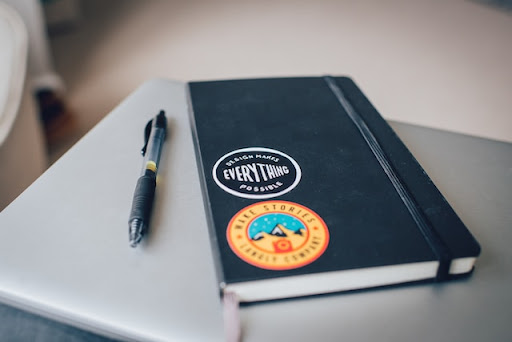
Promoting your company can take a lot of work. But what if you could get others to do that work for you? Giving away stickers at events, during conferences, or even with any orders made can help get the word about your business out there. People tend to decorate their carried belongings with stickers, and if your sticker is part of that collection, you’re advertising to a whole new group of people. Because the goal, in this case, is to get people to learn about your company, you’ll want to make sure you take the time to include your business name, website, or logo so others can find you.
Making stickers for promotion also requires extra attention paid to brand integrity. These stickers act as a first introduction to your business in many cases, so it’s important that they play the role well. Using your logo or other promotional materials is a great way to help keep everything tied together. If you aren’t using images or logos, make sure your color palette, text font, etc., matches your other branded materials. Keeping everything harmonious helps new clients and customers know they’re in the right place whenever they visit you in person or online.

Photo by Alexa Williams on Unsplash
Tips for Printing Personalized Stickers for Business
With the right design in hand, it’s time to get your stickers printed. But you can’t just call up any printer and send over any file. Without doing the research and preparation ahead of time, you could end up with misprints or damaged goods. Picking out the right printer and making sure your file is formatted correctly will help ensure you get the highest-quality personalized stickers for business.
Finding a Sticker Printer
Working with the right printer is key in not just this venture but in all your business printing needs. Once you find a good printing company, it’s easy to build a relationship with them and get more bang for your buck as you continue to promote your business. There are plenty of sticker printers out there, but you want to find the one with the following traits:
- Located in an urban area – increases shipping speeds and options.
- Good reviews with photos – proves a history of quality for their products.
- Wide variety of services – ensures you’ll never need to find another printer for your orders.
Formatting Your File
Sending in an improperly formatted file will almost certainly result in a poor print, even if your printer is of high quality. Printing machines require specific settings that are often different by default in many editing programs. Because most images these days end up online, editing software sets up certain parameters to be optimized for screens. You’ll need to go in and make sure the following settings are corrected before sending in your stickers for printing:
DPI – The DPI (dots per inch) is typically set to 75. For best printing practices, make sure you set this to at least 300.
Color Spectrum – Editing software will default to the RGB (red, green, blue) color spectrum. Printing machines, however, require this to be changed to the CMYK (cyan, magenta, yellow, black) spectrum for accurate color printing.
Bleed and Margin – Printing machines can sometimes shift slightly during the process. Setting up a bleed area of about 1/4” will ensure all necessary design elements and text is kept intact.
Where to Get Personalized Stickers for Business
Stickers can help your company increase sales and improve marketing efforts, but only if you take the time to create a worthy design. At Guru Printers, we’re here to help take the guesswork out of printing personalized stickers for business. We provide quick, high-quality sticker printing for any business need. And with the help of our in-house designers, you don’t even have to worry about creating the design yourself. If you’re ready to see your business grow, you can start placing an order for customized stickers online. If you have any questions or need help with your order, give us a call at (213) 513-2159 or send an email to [email protected].